A status page your customers can read.
Your domain, your logo, your words. Incidents appear the moment they open, and your updates say what happens next.
Three steps to published.
One screen to create it, one editor to make it yours.
Pick what is on it
A new page starts empty. Add the monitors, heartbeats and groups you want, with names your customers understand. The page needs at least one before it is built.
Make it yours
In the design editor: logo, favicon, accent, one of four layouts and your own domain, previewed on a bad day, then published from the editor.
Write the updates
Investigating, identified, monitoring, resolved, each with the time of the next update.
Built to be read on a bad day.
The page works when your app does not: it reads in full without script and loads from a cache.
- Layouts Banner, Plain, Grid and Docs
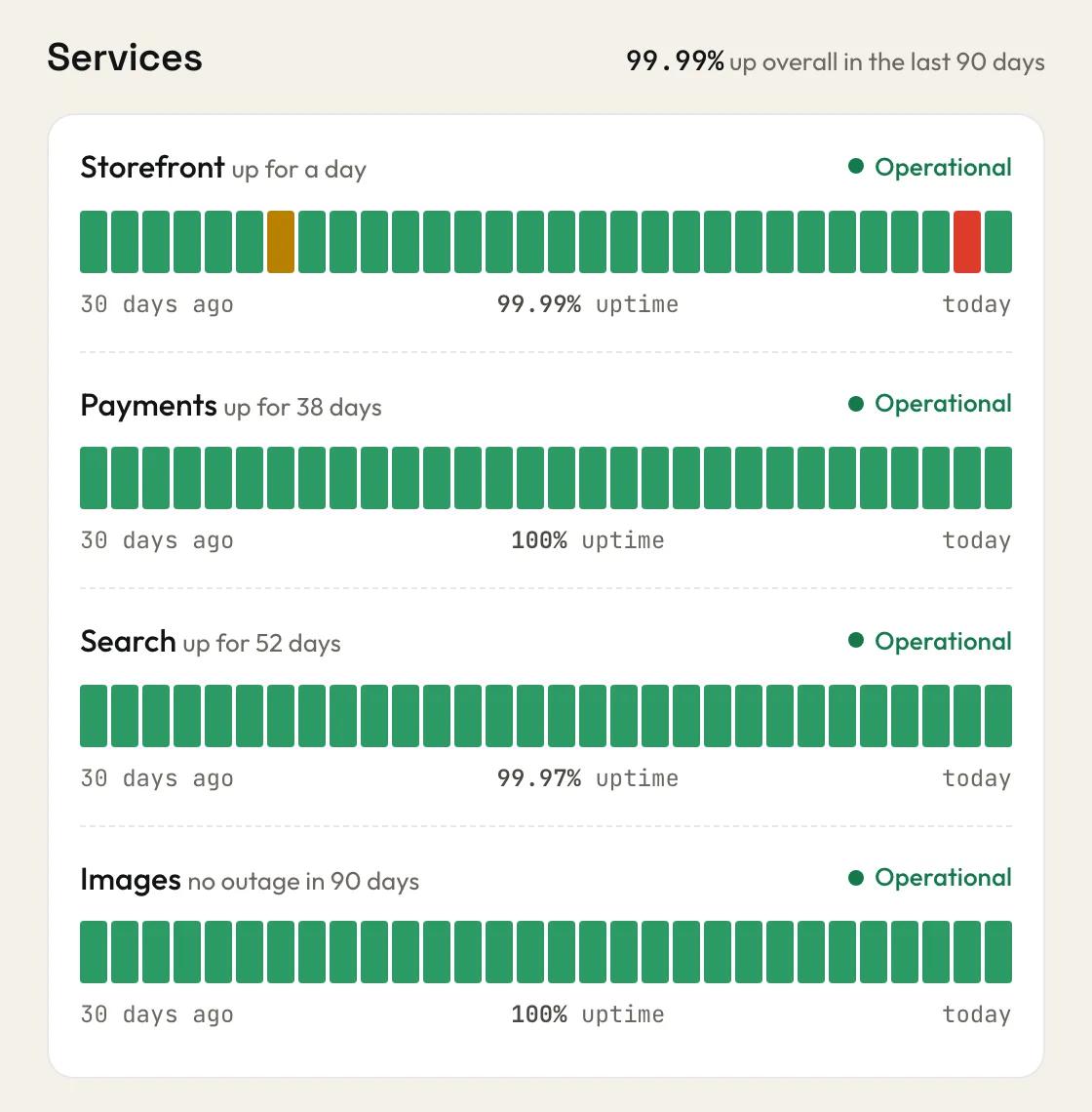
- States Operational, Degraded performance, Partial outage, Major outage, Maintenance, No data and Paused, each with its own colour, symbol and word
- Days No downtime, Some checks failed, Degraded performance or Major outage
- Incidents each one has its own public page with every update
- Your domain on Solo and Team, the certificate issued for you
- Subscribers An email when an incident opens, on each update, when it ends, and before planned maintenance
- History 90 days per component, a page per month
- Badge an image for your nav, footer or README
One page free, more on paid plans.
Every page carries the same states and the same history.
Free0 EUR
- 1 status page
- on an upglory.io address
- 90 days of history
Solo15 EUR a month
- 5 status pages
- your own domain
- 1 year of history
Team49 EUR a month
- 50 status pages
- your own domain
- the credit can be removed
Before you publish.
Does the written reason appear on the page?
Never. Your customers read your updates. The explanation stays inside, for you.
Can I keep an incident off the page?
Yes, from the incident itself. The day still shows its dip in the history, so the page stays honest.
How long is history kept?
Daily history and incidents are kept for 90 days on Free, 1 year on Solo and 2 years on Team, and you read them in the dashboard. Raw checks are kept for 30 days on every plan. Public status pages show the last 90 days.
Which time zone does the page use?
The one you set, or the visitor's own if you allow it. The footer of the page says which.