Every incident, explained in plain words.
Once an incident is confirmed, Upglory reads the evidence the checks kept and writes two or three sentences on what most likely happened.
From evidence to a reason.
It starts from what the checks saw, never from a guess.
The evidence is kept
Headers, the body excerpt, the DNS answer, the certificate and the timings from every location.
It is read once
After the incident is confirmed. Never on a single failing check.
You get the reason
In the incident, and in the alert when it is ready in time, marked as written by AI, with the time.
Useful, and kept in its place.
An explanation helps you start. It never changes a state or reaches a visitor on its own.
- Change a state only checks decide up and down
- Reach your visitors never on a status page
- Hold an alert if it fails, the alert goes out without it
- Pretend when the evidence is thin, it says so
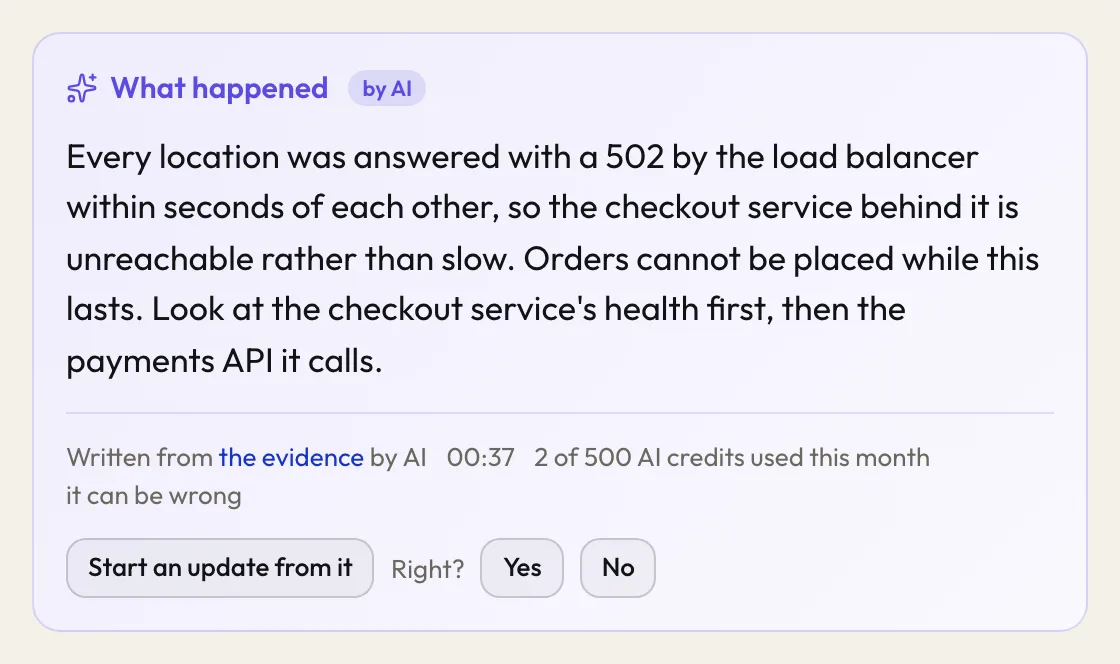
Drop it into an update as a draft and rewrite it in your own words. Only your words are published.
From the alert to the write-up.
When the incident is over, the same evidence becomes the record you keep and the one you send.
- 01incident 46 investigation
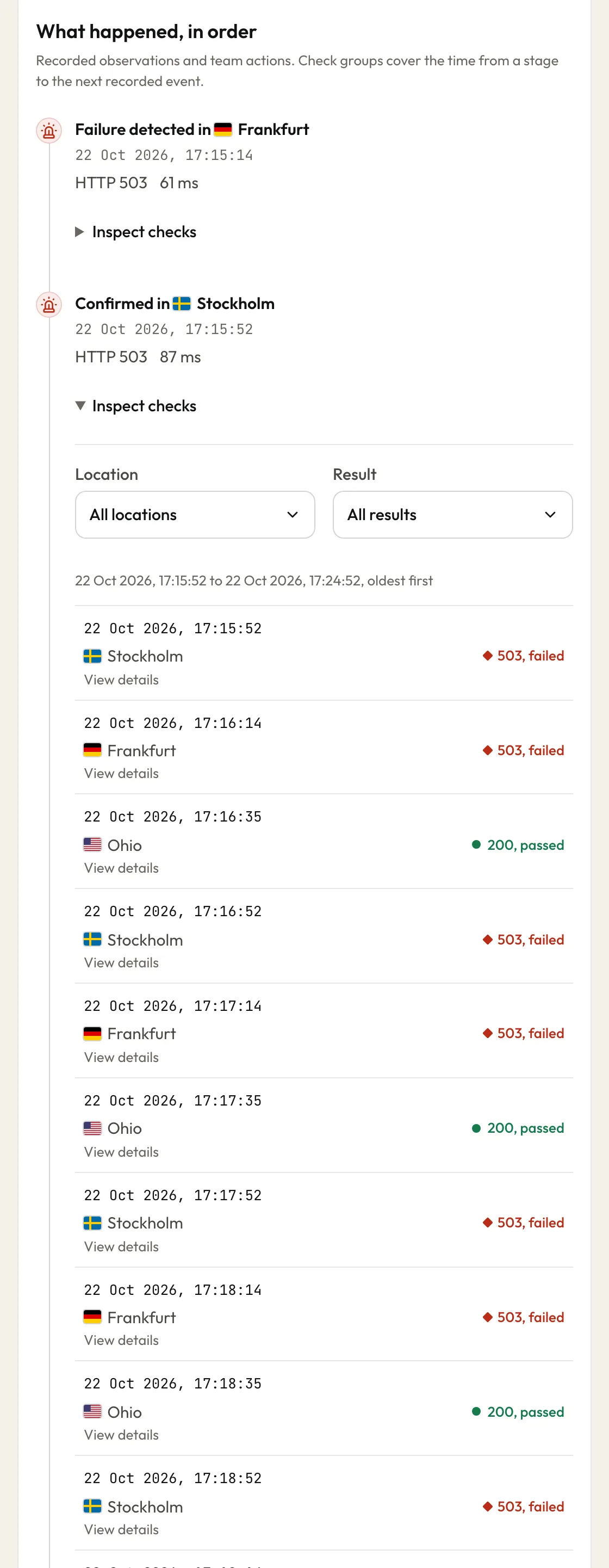
Investigate it
Every check from every location, from 30 minutes before the failure to just after it ended, in order. Open any check for its status, timings, DNS answer and certificate.
- 02incident 46 incident report
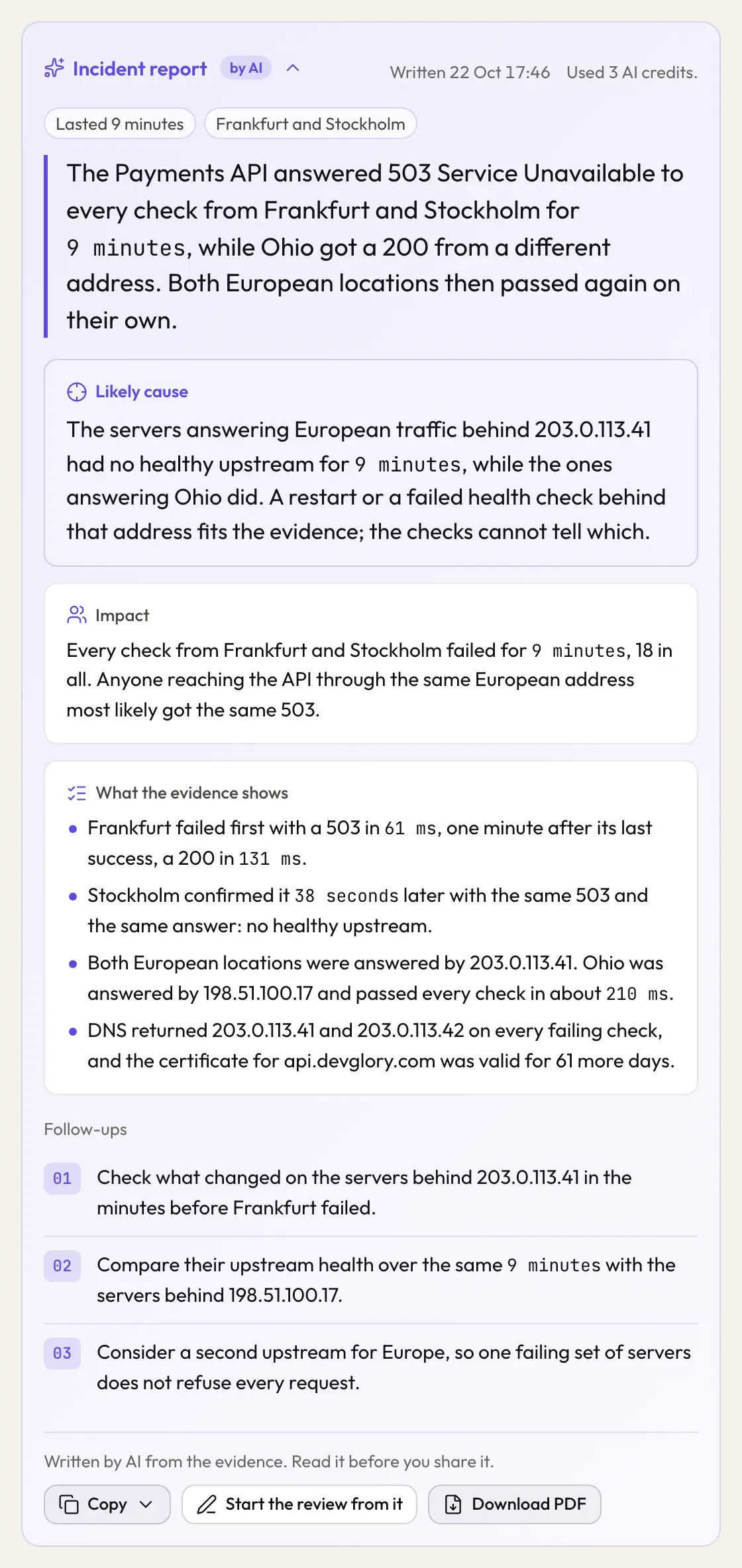
Ask for the report
On a resolved incident, one press writes a summary, the impact, what the evidence shows, the likely cause and follow-ups. It uses 3 AI credits, and if it cannot be written they come back.
- 03incident 46 PDF, page 1
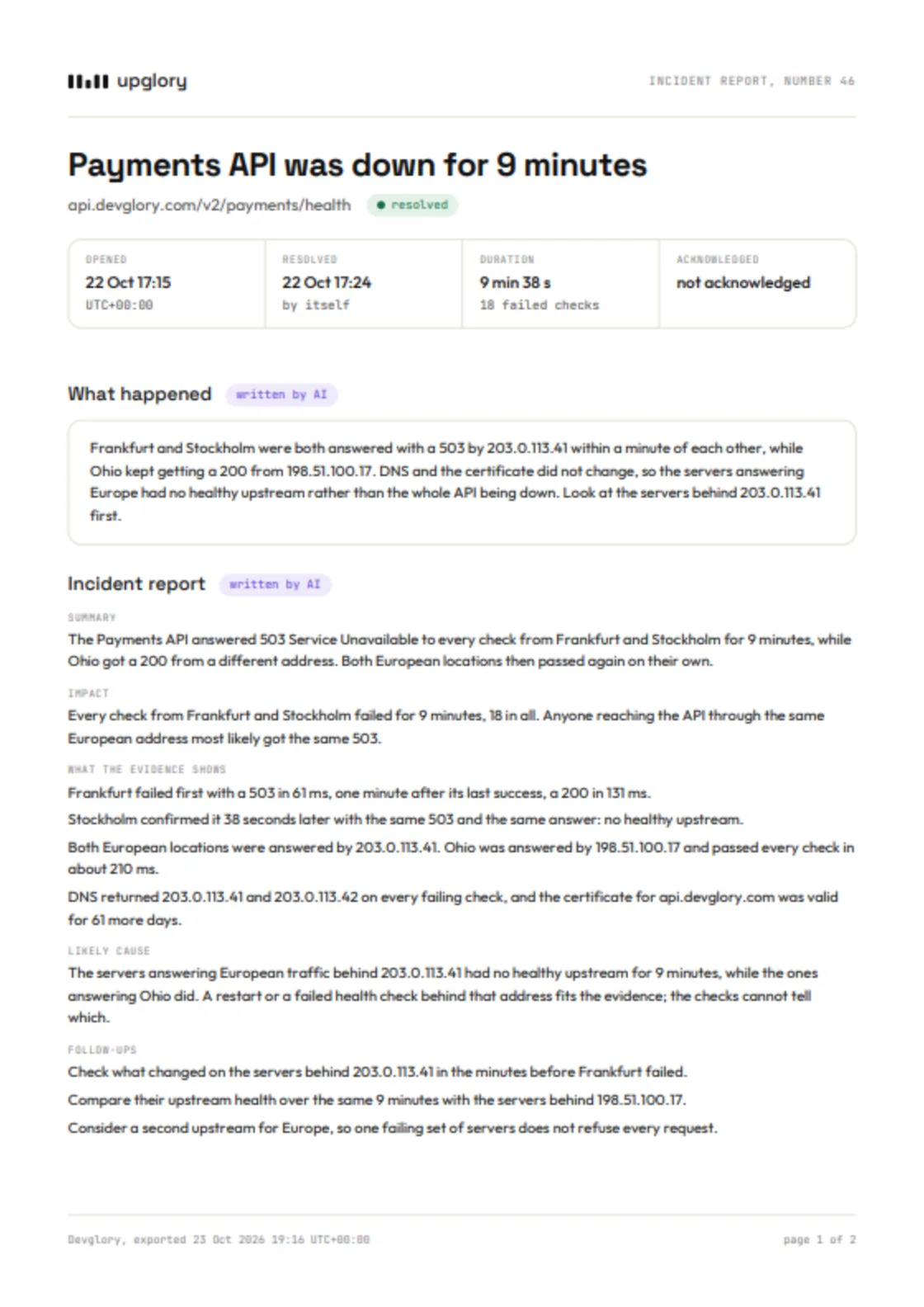
Send the PDF
The timeline, the checks from each location, the explanation and the report, each AI part marked as written by AI. Free to download, as often as you need.

Copy the report as plain text or Markdown, or start your incident review from it.
A monthly allowance on every plan.
A written explanation uses 1 AI credit and an incident report 3. When they run out, the incident says so and everything else still works.
Free0 EUR
- 10 AI credits a month
Solo15 EUR a month
- 100 AI credits a month
Team49 EUR a month
- 500 AI credits a month
Before you rely on it.
What is sent to write it?
The evidence of that incident. A monitor marked as carrying secrets never keeps a body or headers, so none are sent.
Who writes it?
An AI model provider, named by category in the privacy notice. It reads only that incident's evidence.
What happens when the AI credits run out?
The incident says so where the written reason would be. Monitoring, incidents and alerts carry on as before. A written explanation uses 1 AI credit and an incident report 3. A pack of 500 AI credits is 20 EUR, paid once, and never expires.
Does the report change anything?
No. Like the explanation, it never changes a state and never appears on a status page. It is marked as written by AI; read it before you share it.
What does the PDF show for a monitor carrying secrets?
Its host only, never the full address.